Blog

  • How to Choose the Right Platform for Your Budget-Friendly eCommerce Store

    Launching an online store has never been easier. Today, dozens of eCommerce platforms promise that you can start selling in just a few clicks. But here’s the catch—the cheapest platform isn’t always the most affordable in the long run.

    Many business owners focus only on the monthly subscription fee and overlook hidden costs like premium apps, transaction fees, hosting, maintenance, or future migration expenses.

    If you’re planning to launch an eCommerce store without burning a hole in your pocket, this guide will help you choose a platform that fits both your budget and your long-term business goals.


    1. Start by Understanding Your Business

    Before comparing platforms, spend a few minutes thinking about your business.

    Ask yourself:

    • How many products will I sell?
    • Am I selling physical products, digital products, or both?
    • Will I only sell in India, or do I plan to reach international customers?
    • Do I expect my store to grow over the next few years?

    Having clear answers will make your decision much easier and prevent you from paying for features you don’t actually need.


    2. Look at the Total Cost—Not Just the Monthly Fee

    This is where many beginners make a mistake.

    A platform may advertise plans starting at ₹500 or ₹1,000 per month, but that’s rarely the complete picture.

    You may also end up paying for:

    • Domain name
    • Web hosting
    • Premium themes
    • Paid plugins or apps
    • Payment gateway charges
    • Email services
    • Website maintenance
    • Developer support

    Instead of comparing only subscription prices, calculate what the platform will cost you over an entire year.


    3. Hosted vs Self-Hosted: Which One Is Better?

    Most eCommerce platforms fall into one of these two categories.

    Hosted Platforms

    Hosted platforms take care of the technical side for you.

    Great if you want:

    • Quick setup
    • Automatic updates
    • Built-in security
    • Minimal technical work

    Things to keep in mind:

    • Monthly subscription fees
    • Paid apps for extra features
    • Limited customization
    • You’re dependent on the platform’s ecosystem

    They’re ideal for beginners who want to get started quickly.


    Self-Hosted Platforms

    With self-hosted platforms, you have complete control over your store.

    Benefits include:

    • Lower long-term costs
    • Full ownership of your website
    • Unlimited customization
    • Huge plugin ecosystem

    However:

    • You’ll need web hosting
    • Updates and backups are your responsibility
    • A little technical knowledge helps

    They’re perfect for businesses that want flexibility and room to grow.


    4. Think About the Future, Not Just Today

    Your online store may start with 20 products, but what happens when you have 2,000?

    Choose a platform that can grow with your business.

    Look for features like:

    • Inventory management
    • Product filters
    • Coupon and discount tools
    • Multiple payment gateways
    • Shipping integrations
    • Sales reports and analytics

    Changing platforms later can be expensive and time-consuming.


    5. Don’t Ignore SEO

    A good eCommerce platform should help customers find you on Google—not make it harder.

    Look for features such as:

    • Custom URLs
    • Meta titles and descriptions
    • XML sitemaps
    • Fast page speed
    • Mobile-friendly design
    • Structured data support

    Good SEO can bring you free traffic for years, reducing your dependence on paid advertising.


    6. Make Sure It Supports Your Preferred Payment Gateways

    Your customers should be able to pay easily.

    If you’re selling in India, check support for popular payment gateways like:

    • Razorpay
    • Cashfree
    • PayU
    • CCAvenue
    • PhonePe Payment Gateway

    If you plan to sell internationally, support for services like Stripe and PayPal can also be valuable.


    7. Choose a Clean and Professional Design

    Your website is often the first impression customers have of your business.

    A clean, fast, and mobile-friendly design builds trust and improves conversions.

    Look for:

    • Responsive themes
    • Fast loading speed
    • Easy navigation
    • Clear product pages
    • Simple checkout process

    Remember, customers come to buy—not to admire fancy animations.


    8. Check the App and Plugin Ecosystem

    As your business grows, you’ll likely need extra features.

    Some useful integrations include:

    • WhatsApp chat
    • Email marketing
    • Customer reviews
    • Loyalty programs
    • Abandoned cart recovery
    • GST invoicing
    • Shipping automation
    • Marketing tools

    A platform with a strong plugin ecosystem makes it much easier to expand your store without rebuilding it from scratch.


    9. Think About Scalability

    Even if you’re starting small, it’s smart to choose a platform that can grow with you.

    Ask yourself:

    • Can it handle thousands of products?
    • Can multiple team members manage the store?
    • Does it support marketplace integrations?
    • Can I sell in different countries?
    • Will it still meet my needs three years from now?

    Planning ahead can save you a lot of money and headaches later.


    10. Good Support Can Save the Day

    No matter how easy a platform is, you’ll eventually run into questions.

    Before deciding, check whether the platform has:

    • Detailed documentation
    • Active community forums
    • Helpful YouTube tutorials
    • Reliable customer support
    • Plenty of developers who can help if needed

    The larger the community, the easier it usually is to solve problems.


    11. Security Should Never Be an Afterthought

    Your customers trust you with their personal information.

    Make sure your platform offers:

    • SSL certificates
    • Secure payment processing
    • Regular backups
    • Protection against malware
    • Frequent security updates

    A secure store builds customer confidence and protects your business.


    Which Platform Should You Choose?

    There’s no universal winner—it depends on your priorities.

    If your goal is simplicity and quick setup, a hosted platform can help you launch faster with less technical work.

    If you want maximum flexibility and lower long-term costs, a self-hosted platform is often the better investment.

    The best platform is the one that fits your current budget while giving your business room to grow.


    The TakeAways

    Choosing an eCommerce platform isn’t just about today’s costs—it’s about where your business will be a few years from now.

    Take the time to compare features, scalability, SEO capabilities, payment options, and the total cost of ownership before making your decision.

    A little research today can save you thousands of rupees—and countless hours—in the future.

    At the end of the day, the right platform isn’t necessarily the cheapest one. It’s the one that helps your business grow without holding you back.
  • The “Front Door” of a Business

    For almost 20 years, HubSpot did one thing brilliantly: whenever you Googled a marketing question, HubSpot’s answer showed up.

    • What’s a CRM? → HubSpot.
    • How to write better emails? → HubSpot.

    This wasn’t just blogging—it was their primary customer acquisition strategy. Every article acted like a front door, bringing people into their business through Google.

    Millions of people entered through that door.

    It worked exceptionally well—for a long time.


    Then the Door Moved

    Instead of typing questions into Google, people began asking AI tools like ChatGPT directly:

    “What’s the best CRM for my company?”

    The question is the same, but now AI provides the answer instantly. The user may never even visit HubSpot’s website.

    The front door people once walked through has quietly moved—into the AI chat.


    This Is Happening Everywhere

    Booking.com

    People now ask AI to plan an entire trip instead of browsing hotel listings.

    WebMD

    Many health questions are answered by AI before anyone visits a medical website.

    Stack Overflow

    Programmers once Googled coding problems and landed on Stack Overflow. Now they ask AI coding assistants first.

    Car Dealerships

    Customers used to begin their car-buying journey by visiting a showroom.

    Today they:

    • Watch YouTube reviews
    • Compare specifications
    • Ask ChatGPT
    • Read forums

    The dealership has become the last stop, not the first.

    IKEA

    People once wandered through IKEA looking for inspiration.

    Now they get ideas from Pinterest or AI-generated room designs first—and visit IKEA only when they’re ready to buy.


    Same story. Different industries.

    The entrance customers use to discover businesses has quietly shifted.


    The Big Question

    Ask yourself:

    How many of your customers still come in through the same door that originally built your business?

    Maybe your front door is:

    • Google
    • Facebook
    • Amazon
    • An App Store
    • Referrals

    Every business has one primary entrance.

    But almost nobody actually owns it.

    And if someone else owns your front door, they can:

    • Change it
    • Move it
    • Shut it

    …and you don’t get a say.

    That’s exactly what’s happening with AI right now.


    A History Lesson

    Yahoo lost its front-door position to Google.

    Now Google may be losing part of that position to AI.

    And someday, AI may lose it to whatever comes next.

    The businesses that win aren’t the ones with the fanciest front door.

    They’re the ones who recognize early that customers have quietly started using a different one.


    The Takeaway

    Don’t confuse “how customers currently find you” with “a permanent competitive advantage.”

    Your product can still be great.

    Your customers can still love you.

    But if the front door shifts and you don’t shift with it, people may simply stop finding you—even though they still need what you offer.

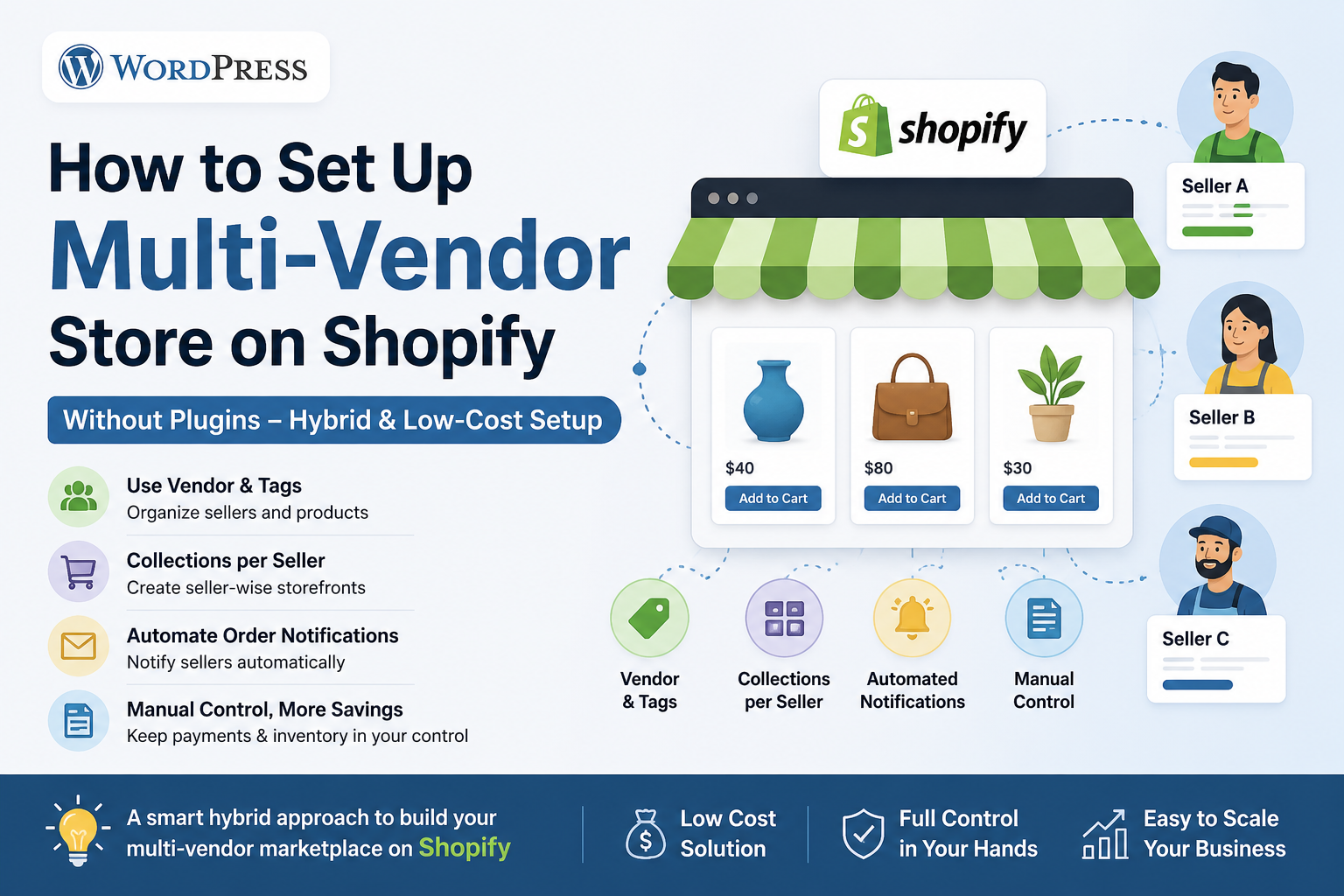
  • Running a true multi-vendor marketplace on Shopify without apps

    Running a true multi-vendor marketplace on Shopify without apps

    Running a true multi-vendor marketplace on Shopify without apps is possible only in a limited/manual way. Shopify is designed as a single-vendor platform, so you’ll need workarounds using built-in features like products, tags, locations, and custom fields.

    Here’s a practical way to do it


    1. Create “Vendors” using Shopify’s built-in field

    Every product in Shopify has a Vendor field.

    What to do:

    • Add each seller as a Vendor name
      • Example:
        • Seller A → Vendor: RahulStore
        • Seller B → Vendor: DelhiCrafts

    Result:

    • You can filter products by vendor in admin
    • You can build collections like:
      • “Products by RahulStore”

    2. Use Tags to Organize Sellers

    Tags give you more flexibility than vendor field.

    Example:

    • Seller A products → seller_rahul
    • Seller B products → seller_delhi

    Use cases:

    • Create automated collections:
      • Condition → Tag = seller_rahul
    • Filter products on frontend

    3. Create Separate Collections for Each Seller

    Steps:

    • Go to Collections → Create Collection
    • Set condition:
      • Vendor = RahulStore OR Tag = seller_rahul

    Result:

    • Each seller gets their own storefront page:
      • /collections/rahulstore
      • /collections/delhicrafts

    4. Show Seller Name on Product Page (Important)

    You need to modify your theme.

    In product template (product.liquid or main-product.liquid):

    <p>Sold by: {{ product.vendor }}</p>
    

    👉 This helps customers distinguish sellers clearly


    5. Order Management (Manual Split)

    Shopify will NOT split orders per seller automatically.

    Workaround:

    • When an order comes in:
      • Check product vendor
      • Manually inform each seller
      • Share their items

    Better workaround:

    • Export order CSV and filter by vendor

    6. Payments to Sellers (Manual)

    Shopify pays you only, not sellers.

    You must:

    • Track each seller’s sales
    • Deduct commission
    • Pay via:
      • UPI / Bank transfer

    7. Use Locations (Advanced Trick)

    If sellers ship themselves:

    Setup:

    • Add each seller as a Location
    • Assign inventory per location

    Benefit:

    • Helps track stock per seller

    ⚠️ Limitation:

    • Still no automatic order routing per seller

    🧾 8. Add Seller Info using Metafields (Pro Setup)

    You can create custom fields like:

    • Seller name
    • Seller phone/email
    • Seller description

    Then show it on product page using Liquid.


    🚫 Limitations (Important)

    Without apps, you CANNOT:

    • Give seller login dashboards
    • Auto split orders per vendor
    • Auto commission calculation
    • Auto vendor payouts
    • Vendor-specific shipping rules

    Reality Check

    What you’re building is a “multi-seller catalog”, NOT a full marketplace like Amazon.


    If You Want Real Marketplace Features

    You’ll eventually need apps like:

    • Multi Vendor Marketplace apps
    • Or move to platforms like:
      • WooCommerce + Dokan
      • Custom marketplace

    Best Simple Structure (Recommended)

    • Use Vendor field + Tags
    • Create Collections per seller
    • Show seller name on product page
    • Handle orders & payouts manually